
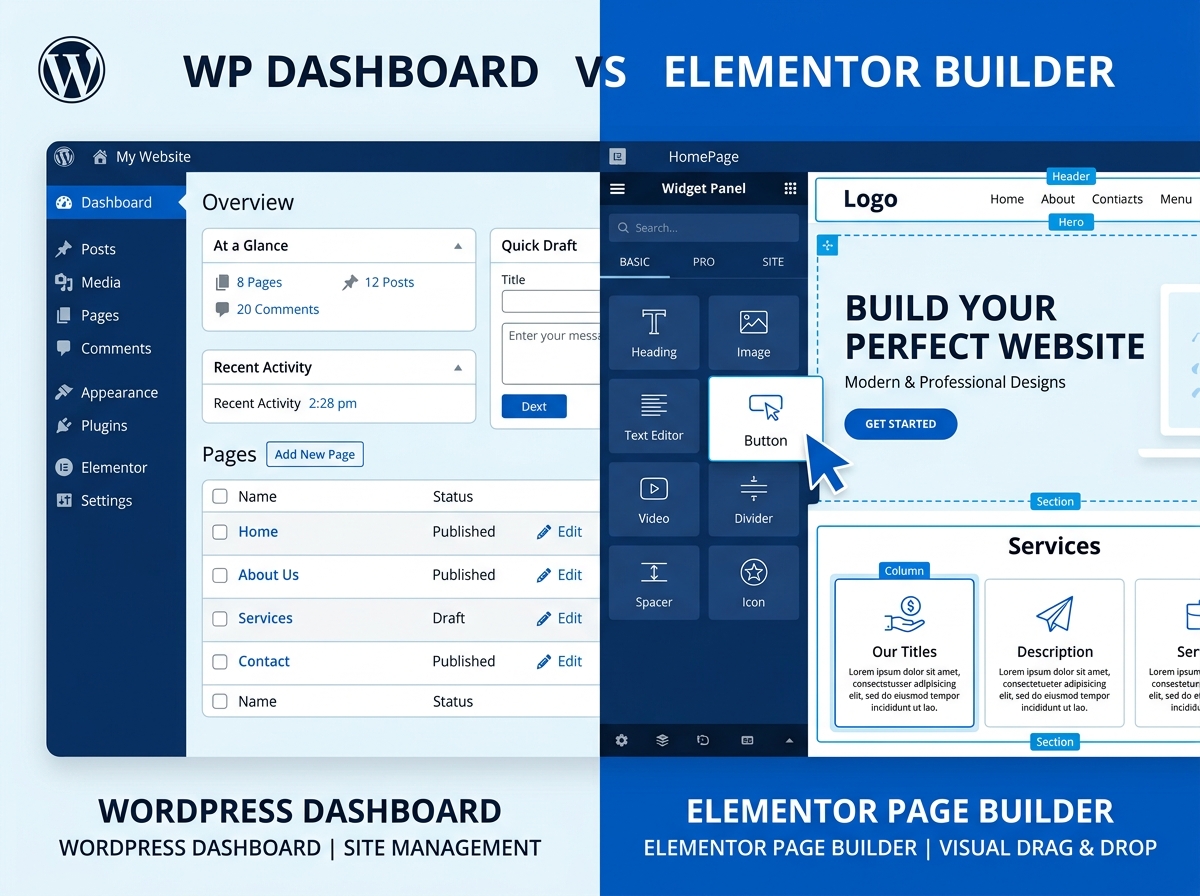
WordPress Theme vs Builder: Which One Is Right for Your Website?
If you’ve ever tried to build a WordPress website, you’ve probably run into this question: Should you use a WordPress theme vs builder? It’s one of the most common dilemmas for business owners and digital marketers, and the answer isn’t always straightforward. Both options have their strengths, their limitations, and their ideal use cases. In this post, we’ll break it all down so you can make the smartest choice for your website — and your business.
What Is a WordPress Theme?
A WordPress theme is a pre-designed template that controls the overall look and layout of your website. When you install a theme, it applies a consistent design across your entire site — fonts, colors, header styles, footer layouts, and more. Themes are typically built using PHP, CSS, and HTML, and they work within WordPress’s native structure.
There are thousands of free and premium themes available through the WordPress theme directory and third-party marketplaces like ThemeForest. Popular options include Astra, GeneratePress, OceanWP, and Divi.
Pros of Using a WordPress Theme
- Faster load times: Lightweight themes are optimized for speed and performance right out of the box.
- Cleaner code: Well-coded themes produce less bloat, which is better for SEO and site health.
- Easier maintenance: Fewer moving parts mean fewer things that can break during updates.
- Better compatibility: Themes built to WordPress standards tend to work well with most plugins.
Cons of Using a WordPress Theme
- Limited design flexibility: You’re often locked into the theme’s layout and structure.
- Requires coding knowledge: Customizing beyond the theme’s settings usually requires CSS or PHP skills.
- Generic appearance: Without customization, your site may look similar to thousands of others using the same theme.
What Is a WordPress Page Builder?
A WordPress page builder is a plugin that allows you to design your website visually using a drag-and-drop interface. Instead of relying on a theme’s fixed layout, a page builder gives you pixel-level control over every element on the page — without writing a single line of code.
The most popular page builders include Elementor, Beaver Builder, Divi Builder, Bricks Builder, and the native WordPress Block Editor (Gutenberg). Many of these tools come with pre-built templates and design blocks that make it easy to create professional-looking pages quickly.
Pros of Using a Page Builder
- Total design freedom: Build virtually any layout you can imagine without touching code.
- Beginner-friendly: Drag-and-drop interfaces make web design accessible to non-developers.
- Pre-built templates: Launch pages faster using professionally designed templates.
- Real-time editing: See your changes live as you make them, reducing guesswork.
- Consistent branding: Easily apply your brand colors, fonts, and styles across all pages.
Cons of Using a Page Builder
- Page bloat: Some builders add extra code that can slow down your website if not optimized properly.
- Plugin dependency: Your design is tied to the builder — switching later can be a major headache.
- Learning curve: While beginner-friendly, mastering advanced features still takes time.
- Potential conflicts: Some builders don’t play nicely with certain themes or plugins.
WordPress Theme vs Builder: Key Differences at a Glance
When comparing a WordPress theme vs. a page builder, it helps to think about what matters most to your project. Here’s a quick side-by-side breakdown:
- Design Control: Themes offer limited control; page builders offer full creative freedom.
- Ease of Use: Themes are simpler to set up; builders require more time to learn but offer more power.
- Performance: Themes (especially lightweight ones) tend to be faster; builders can add load if not optimized.
- SEO: Both can be SEO-friendly, but cleaner code from themes may have a slight edge.
- Cost: Many themes are free or low-cost; premium page builders often require annual subscriptions.
- Scalability: Page builders are better suited for growing businesses that need frequent design updates.
Can You Use Both a Theme and a Page Builder Together?
Absolutely — and this is actually the most popular approach. Many businesses use a lightweight base theme (like Astra or Hello Elementor) combined with a powerful page builder like Elementor. The theme handles the foundational structure and global styles, while the page builder takes care of the visual design and layout of individual pages.
This combination gives you the best of both worlds: clean, fast-loading code from the theme and complete design flexibility from the builder. It’s a strategy used by professional web designers and agencies around the world.
Which Option Is Best for Your Business?
The right choice in the WordPress theme vs builder debate really depends on your specific needs, goals, and technical comfort level. Here’s a simple guide:
- Choose a theme only if you want a simple, fast website with minimal customization needs and you’re comfortable with some basic CSS tweaks.
- Choose a page builder if you want full creative control, plan to update your site frequently, or need to build landing pages and custom layouts without hiring a developer.
- Use both together if you want maximum flexibility, performance, and scalability — this is the recommended approach for most growing businesses.
For e-commerce stores, service-based businesses, and content-heavy websites, a page builder paired with a solid base theme is almost always the winning formula. It allows your team to make design changes quickly without relying on a developer every time.
Final Thoughts
There’s no universal winner in the WordPress theme vs builder conversation — it all comes down to what your website needs to accomplish and how much flexibility you want. What matters most is that your site is fast, visually appealing, easy to navigate, and optimized for search engines.
If you’re still unsure which direction to take, working with an experienced web design team can save you time, money, and a lot of frustration. The right foundation makes everything else — from SEO to conversions — so much easier to achieve.
Ready to build a website that actually works for your business? Whether you need help choosing the right WordPress setup or want a fully custom design built from scratch, our team is here to help. Contact us today for a free consultation, and let’s create something great together.