
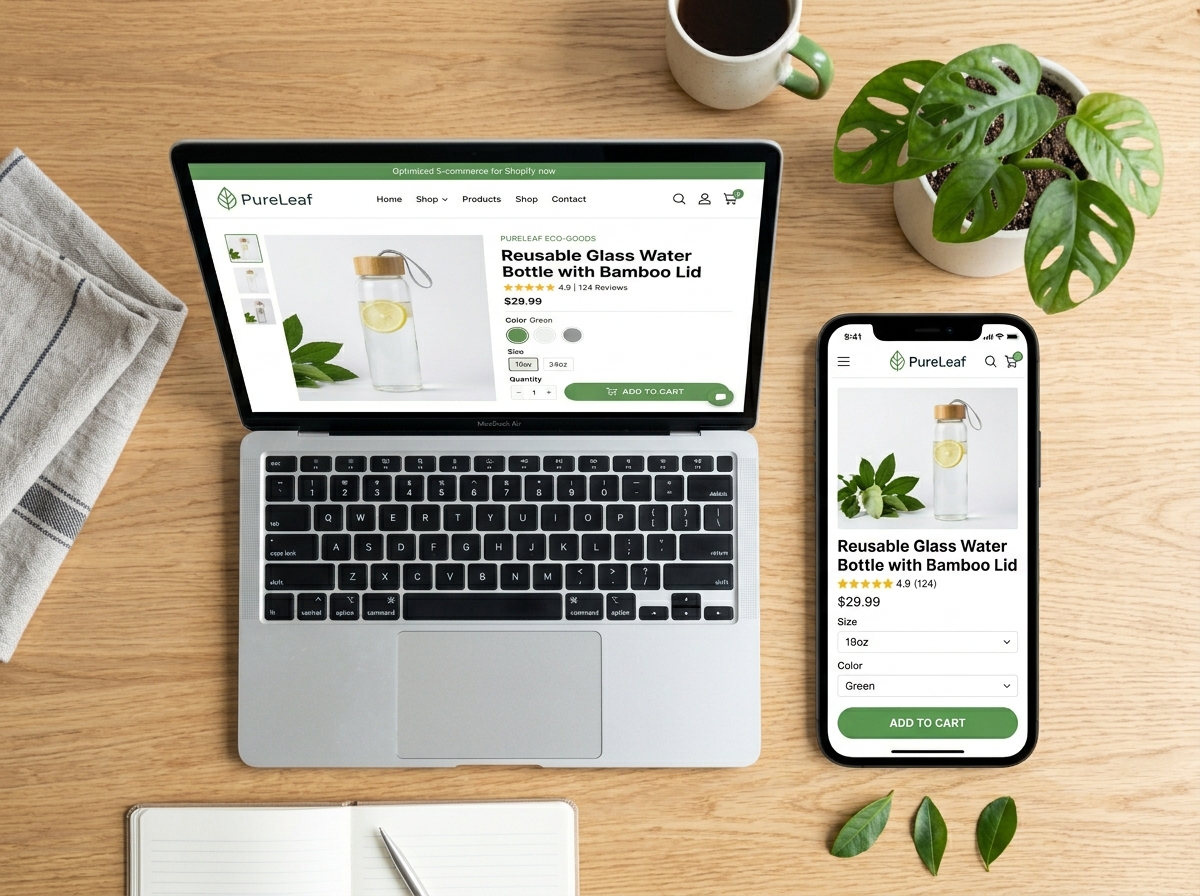
Shopify Product Page Optimization: The Complete Guide to Boost Sales
If you’re running a Shopify store, your product pages are your most powerful sales tools. Yet most store owners leave serious money on the table by neglecting them. Shopify product page optimization is the process of refining every element of your product pages — from copy and images to SEO and user experience — to convert more visitors into paying customers. In this guide, we’ll walk you through exactly how to do it, step by step.
Why Product Page Optimization Matters
Think of your product page as your best salesperson. It needs to answer every question, overcome every objection, and make the buying decision feel effortless. A poorly optimized page drives visitors away. A well-optimized page builds trust, ranks higher in search engines, and turns browsers into buyers.
According to industry data, the average e-commerce conversion rate sits between 1% and 3%. With the right optimizations, many Shopify stores have pushed that number to 5% or higher — without spending a single extra dollar on ads. That’s the power of getting your product pages right.
1. Nail Your Product Title and SEO Metadata
Your product title is one of the first things both Google and your customers see. It needs to be descriptive, keyword-rich, and clear. Avoid vague titles like “Blue Shirt” and instead use something like “Men’s Classic Fit Oxford Blue Button-Down Shirt.”
SEO Metadata Best Practices
- Title Tag: Include your primary keyword naturally within 60 characters.
- Meta Description: Write a compelling 150–160 character summary that includes your keyword and a clear benefit or call-to-action.
- URL Slug: Keep it short, clean, and keyword-focused. Avoid auto-generated URLs with random numbers or symbols.
Shopify makes it easy to edit these fields directly in the product editor under the “Search engine listing preview” section. Don’t skip this step — it directly impacts your organic visibility.
2. Write Product Descriptions That Sell and Rank
Generic manufacturer descriptions won’t cut it. They hurt your SEO (duplicate content) and fail to connect with your audience emotionally. Your product descriptions should do two things simultaneously: speak to your customer’s desires and signal relevance to search engines.
Tips for High-Converting Product Descriptions
- Lead with the biggest benefit, not just the feature.
- Use sensory and emotional language to help customers visualize owning the product.
- Naturally incorporate your target keywords without keyword stuffing.
- Break up text with bullet points for easy scanning.
- Address common objections or questions directly in the copy.
- Include a clear call-to-action near the add-to-cart button.
A well-written description doesn’t just inform — it persuades. Think of it as a mini sales letter embedded in your product page.
3. Optimize Your Product Images and Media
Visuals are everything in e-commerce. Customers can’t touch or try your product, so your images need to do the heavy lifting. Poor-quality photos are one of the top reasons shoppers abandon product pages.
Image Optimization Checklist
- Use high-resolution images from multiple angles.
- Include lifestyle shots that show the product in real-world use.
- Add zoom functionality so customers can inspect details.
- Compress images using tools like TinyPNG or Shopify’s built-in compression to maintain fast load speeds.
- Always fill in alt text with descriptive, keyword-relevant phrases — this boosts accessibility and SEO.
- Consider adding a short product video or 360-degree view for high-ticket items.
Page speed is a ranking factor and a conversion factor. A one-second delay in load time can reduce conversions by up to 7%. Optimized images are one of the fastest wins you can get.
4. Build Trust With Social Proof and Reviews
Trust is the currency of e-commerce. Shoppers are skeptical — especially if they’ve never heard of your brand. Social proof is your most powerful tool for overcoming that skepticism.
Ways to Add Social Proof to Your Product Pages
- Display star ratings and customer reviews prominently near the product title.
- Highlight the number of reviews or purchases (e.g., “Over 2,000 happy customers”).
- Feature user-generated content (UGC) — real photos from real customers.
- Add trust badges such as “Secure Checkout,” “30-Day Returns,” or “Money-Back Guarantee.”
- Include press mentions or influencer endorsements if applicable.
Apps like Loox, Judge.me, or Yotpo integrate seamlessly with Shopify and make collecting and displaying reviews effortless.
5. Optimize for Mobile Shopping
More than 70% of e-commerce traffic now comes from mobile devices. If your product pages aren’t optimized for mobile, you’re losing a massive chunk of potential revenue. Effective Shopify product page optimization must include a mobile-first mindset.
- Ensure your theme is fully responsive and tested on multiple screen sizes.
- Make the Add to Cart button large, sticky, and easy to tap.
- Simplify navigation and reduce the number of steps to checkout.
- Avoid pop-ups that are difficult to close on mobile.
- Test your page speed on mobile using Google’s PageSpeed Insights tool.
6. Leverage Structured Data and Schema Markup
Structured data helps search engines understand your product pages better — and it can unlock rich results in Google Search, like star ratings, price, and availability displayed directly in the search results. This dramatically improves click-through rates.
Many premium Shopify themes include basic schema markup automatically. However, you can enhance this further using apps like Schema Plus or by working with a developer to implement Product, Review, and BreadcrumbList schema types.
7. Use Internal Linking to Keep Shoppers Engaged
Internal links aren’t just an SEO tactic — they’re a retention strategy. By linking to related products, collections, or helpful blog content, you keep visitors on your site longer and guide them toward a purchase.
- Add a “You May Also Like” or “Frequently Bought Together” section.
- Link to relevant buying guides or blog posts that support the purchase decision.
- Use breadcrumb navigation so shoppers can easily explore your collections.
For example, if you sell skincare products, linking from a moisturizer page to a blog post about “How to Build a Daily Skincare Routine” adds value and keeps customers engaged with your brand.
Start Optimizing Your Shopify Product Pages Today
Effective Shopify product page optimization isn’t a one-time task — it’s an ongoing process of testing, refining, and improving. Start with the fundamentals: strong titles, compelling descriptions, optimized images, and genuine social proof. Then layer in technical SEO, mobile optimization, and structured data as you grow.
Every improvement you make compounds over time, driving more organic traffic, building more trust, and converting more visitors into loyal customers. The stores that win in e-commerce aren’t always the ones with the biggest ad budgets — they’re the ones with the best-optimized product pages.
Ready to take your Shopify store to the next level? Explore our other e-commerce guides and digital marketing resources to keep growing your online business. If you’d like a personalized audit of your product pages, contact our team today — we’re here to help you convert more and earn more.