
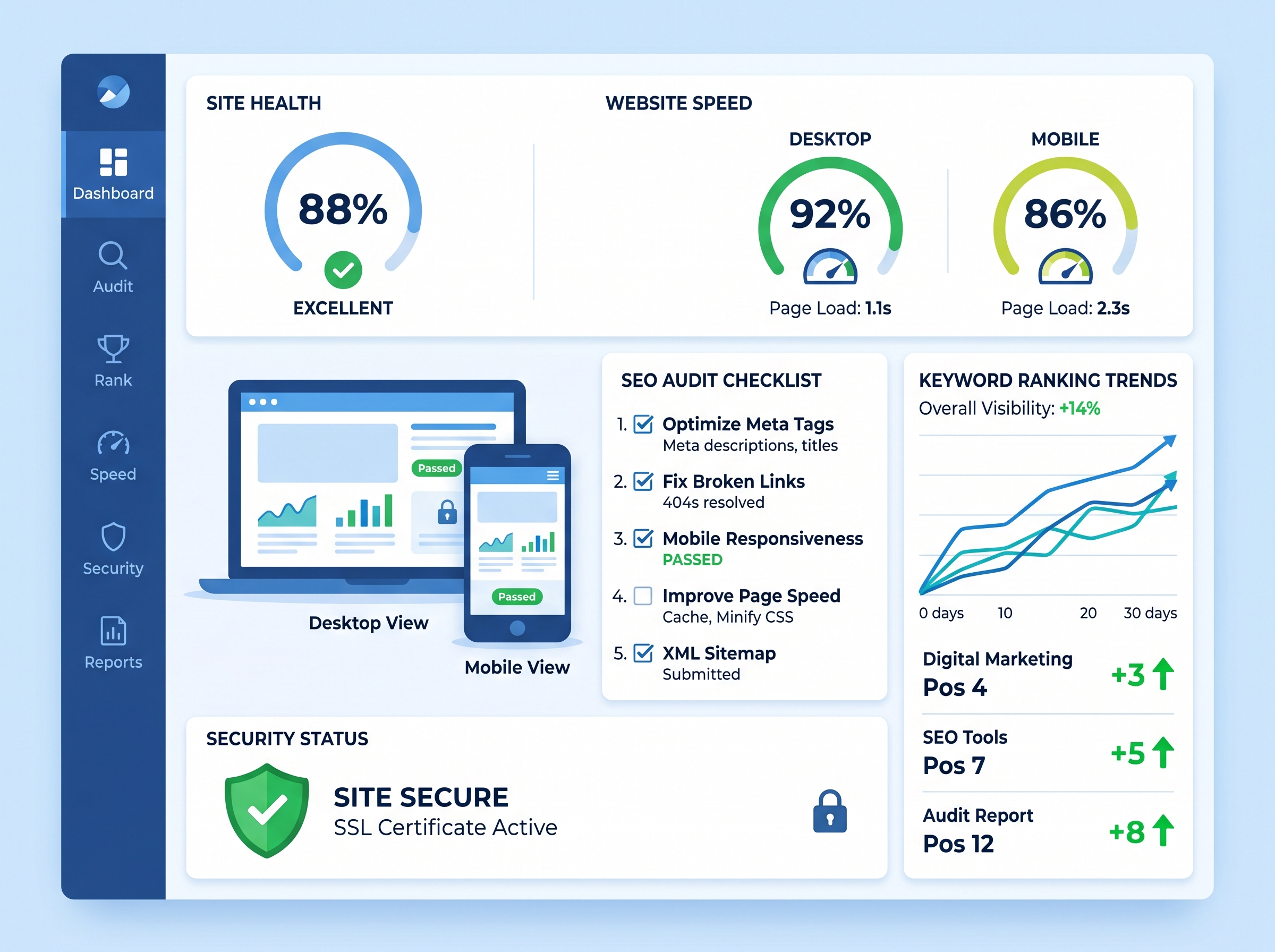
Why Every Website Needs a Technical SEO Audit
If your website isn’t ranking where it should be, the problem might not be your content or backlinks — it could be something far more foundational. A technical SEO audit is the process of evaluating the technical health of your website to ensure search engines can crawl, index, and rank your pages effectively. Without it, even the best content strategy can fall flat.
Whether you’re a business owner trying to grow your online presence or a digital marketer managing multiple client sites, running a regular technical SEO audit is non-negotiable. This checklist will walk you through every critical area you need to review to keep your site performing at its best.
1. Crawlability and Indexability
Before anything else, search engines need to be able to find and read your pages. If they can’t crawl your site, nothing else matters.
What to Check:
- Robots.txt file: Make sure you’re not accidentally blocking important pages from being crawled.
- XML Sitemap: Ensure your sitemap is up to date, submitted to Google Search Console, and free of errors.
- Crawl errors: Use Google Search Console to identify and fix 404 errors, redirect chains, and blocked resources.
- Noindex tags: Audit pages with noindex tags to confirm they should actually be excluded from search results.
- Canonical tags: Verify canonical tags are correctly implemented to avoid duplicate content issues.
2. Site Speed and Core Web Vitals
Google has made it crystal clear — page speed is a ranking factor. Slow websites frustrate users and get penalized in search results. Your technical SEO audit must include a thorough review of your site’s loading performance.
What to Check:
- Core Web Vitals: Review your Largest Contentful Paint (LCP), First Input Delay (FID), and Cumulative Layout Shift (CLS) scores in Google Search Console.
- Page load time: Use tools like Google PageSpeed Insights or GTmetrix to identify slow-loading pages.
- Image optimization: Compress images and use next-gen formats like WebP to reduce file sizes.
- Browser caching: Enable caching to speed up repeat visits.
- Minify CSS, JavaScript, and HTML: Remove unnecessary code that slows down rendering.
3. Mobile-Friendliness
With Google’s mobile-first indexing, your mobile experience is now the primary version of your site in Google’s eyes. A site that looks great on desktop but breaks on mobile will suffer in rankings.
What to Check:
- Mobile usability report: Check Google Search Console’s mobile usability section for errors.
- Responsive design: Ensure your site adapts properly to all screen sizes.
- Tap targets: Buttons and links should be large enough and spaced properly for touchscreen users.
- Font sizes: Text should be readable without zooming on mobile devices.
4. HTTPS and Site Security
Security is both a trust signal for users and a confirmed Google ranking factor. If your site is still running on HTTP, you’re leaving rankings — and customer trust — on the table.
What to Check:
- SSL certificate: Confirm your SSL certificate is valid and not expired.
- HTTPS redirects: All HTTP pages should automatically redirect to their HTTPS versions.
- Mixed content issues: Ensure no page loads insecure HTTP resources alongside HTTPS content.
5. URL Structure and Site Architecture
A clean, logical URL structure helps both users and search engines understand your site’s hierarchy. This is a critical component of any thorough technical SEO audit.
What to Check:
- Clean URLs: URLs should be short, descriptive, and include relevant keywords where appropriate.
- Logical hierarchy: Your site structure should follow a clear parent-child relationship (e.g., /services/seo-services/).
- Avoid dynamic parameters: Where possible, use static URLs instead of complex query strings.
- Breadcrumb navigation: Implement breadcrumbs to improve user experience and help search engines understand your site structure.
6. Duplicate Content and Thin Content
Duplicate and thin content can dilute your site’s authority and confuse search engines about which page to rank. Identifying these issues is a key step in your technical SEO audit.
What to Check:
- Duplicate pages: Use tools like Screaming Frog or Semrush to identify duplicate title tags, meta descriptions, and page content.
- Thin content pages: Pages with very little content should be expanded, consolidated, or removed.
- Pagination issues: Ensure paginated pages are handled correctly with rel=”next” and rel=”prev” tags or canonical tags.
7. Structured Data and Schema Markup
Structured data helps search engines better understand your content and can unlock rich results in the SERPs — like star ratings, FAQs, and product information — giving you a significant competitive edge.
What to Check:
- Schema implementation: Add relevant schema types such as Article, Product, LocalBusiness, or FAQ, depending on your content.
- Validate your markup: Use Google’s Rich Results Test to check for errors in your structured data.
- No spammy markup: Only mark up content that is visible on the page and relevant to users.
8. Internal Linking and Broken Links
Internal links distribute page authority across your site and help users navigate to related content. Broken links, on the other hand, create poor user experiences and waste crawl budget.
What to Check:
- Broken internal links: Crawl your site to find and fix any 404 errors caused by broken internal links.
- Orphan pages: Identify pages with no internal links pointing to them — these are invisible to both users and search engines.
- Anchor text optimization: Use descriptive, keyword-rich anchor text for internal links where it makes sense naturally.
Recommended Tools for Your Technical SEO Audit
You don’t have to do this manually. Here are the top tools to streamline your technical SEO audit process:
- Google Search Console — Free and essential for crawl data, indexing issues, and Core Web Vitals.
- Screaming Frog SEO Spider — Crawls your entire site to surface technical issues quickly.
- Semrush or Ahrefs — Comprehensive site audit tools with actionable recommendations.
- Google PageSpeed Insights — Analyzes page speed and provides specific improvement suggestions.
- GTmetrix — Detailed performance reports with waterfall analysis.
How Often Should You Run a Technical SEO Audit?
For most websites, running a full technical SEO audit every three to six months is recommended. However, you should also audit after major site changes such as redesigns, platform migrations, or significant content updates. Staying proactive prevents small issues from snowballing into major ranking drops.
Start Fixing Your Site Today
A healthy website is the foundation of every successful digital marketing strategy. By working through this technical SEO audit checklist, you’ll uncover hidden issues that may be silently holding your rankings back — and give your site the best possible chance to compete and win in search results.
Ready to take your SEO to the next level? Contact our team today for a professional website audit and let us help you build a faster, stronger, and more visible online presence. Don’t let technical issues stand between you and the rankings you deserve.