
Why WordPress Speed Optimization Matters for Your Business
If your website takes more than three seconds to load, you are already losing visitors — and revenue. WordPress speed optimization is no longer optional for business owners and digital marketers who want to stay competitive online. Studies show that a one-second delay in page load time can reduce conversions by up to 7%. In today’s fast-paced digital landscape, a slow website is a silent killer for your brand’s growth and search engine rankings.
Google has made page speed a confirmed ranking factor, meaning a sluggish site doesn’t just frustrate users — it actively pushes you down in search results. The good news? With the right strategies, you can dramatically improve your WordPress site’s performance without needing to be a developer.
Start With a Speed Test
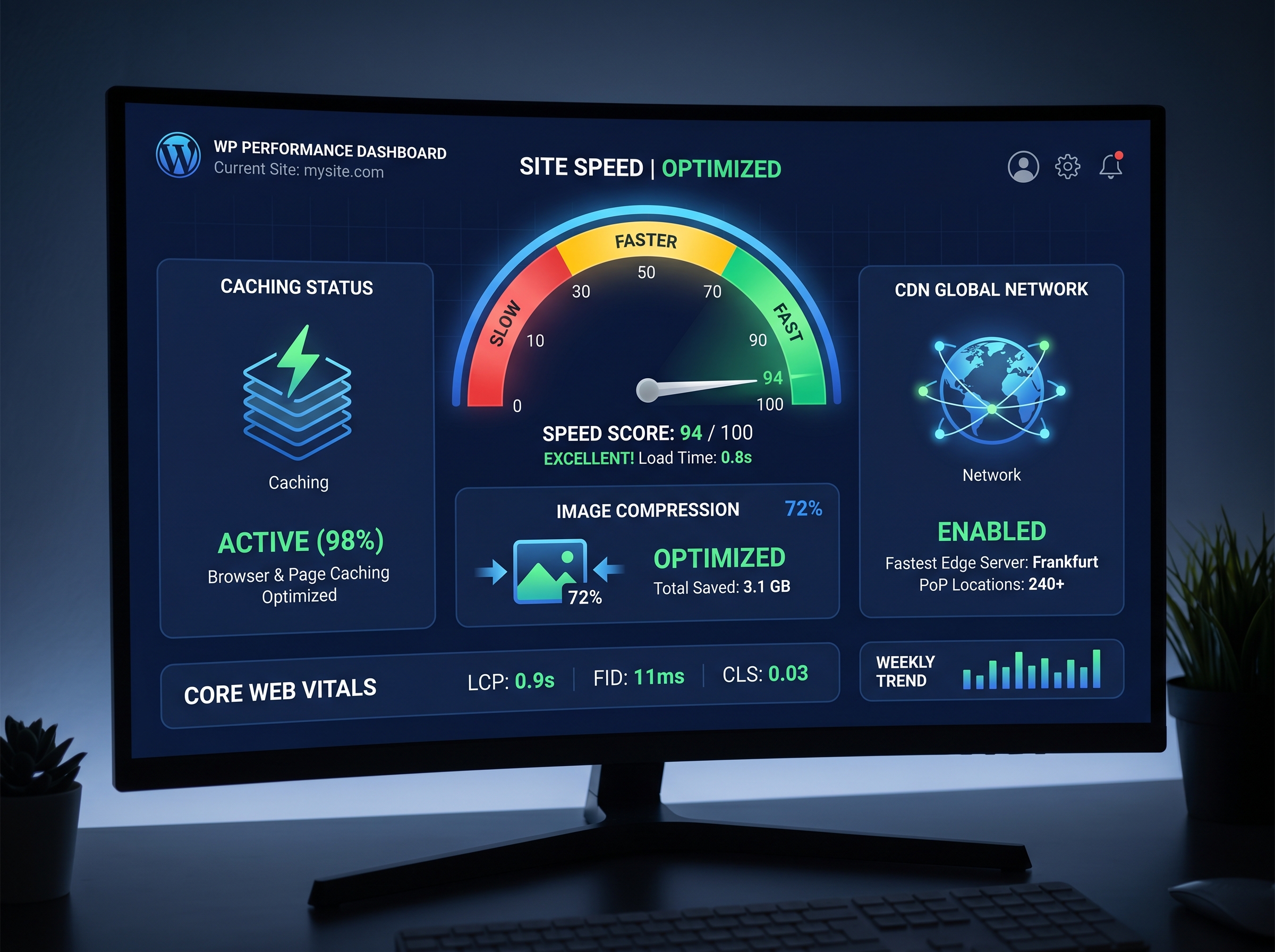
Before making any changes, you need to know where you stand. Use free tools like Google PageSpeed Insights, GTmetrix, or Pingdom to run a full audit of your site. These tools will give you a performance score and a prioritized list of issues to fix. Pay close attention to metrics like Largest Contentful Paint (LCP), First Input Delay (FID), and Cumulative Layout Shift (CLS) — these are Google’s Core Web Vitals and directly impact your SEO rankings.
Choose a High-Performance Hosting Provider
Your hosting environment is the foundation of your site’s speed. Shared hosting plans might be affordable, but they often mean your site shares server resources with hundreds of other websites. For serious performance gains, consider upgrading to:
- Managed WordPress Hosting — Providers like WP Engine, Kinsta, or Flywheel are optimized specifically for WordPress.
- VPS Hosting — Gives you dedicated resources at a mid-range price point.
- Cloud Hosting — Scalable and fast, ideal for growing businesses with fluctuating traffic.
Investing in quality hosting is one of the highest-impact changes you can make for WordPress speed optimization. It sets the stage for every other improvement you implement.
Install a Caching Plugin
Caching is one of the most effective ways to speed up WordPress. When a user visits your site, caching stores a static version of your pages so the server doesn’t have to rebuild them from scratch every single time. This dramatically reduces load times, especially for repeat visitors.
Top Caching Plugins to Consider
- WP Rocket — The gold standard for WordPress caching. Easy to configure and packed with features.
- W3 Total Cache — A powerful free option with extensive customization.
- LiteSpeed Cache — Ideal if your host uses LiteSpeed servers.
- WP Super Cache — A simple, beginner-friendly free plugin from Automattic.
Most caching plugins also include additional optimization features like minification of CSS and JavaScript files, which further reduces the amount of data your site needs to load.
Optimize Your Images
Images are typically the largest files on any webpage and one of the biggest culprits behind slow load times. Proper image optimization can cut your page size significantly without any visible loss in quality.
Best Practices for Image Optimization
- Compress images before uploading using tools like TinyPNG or Squoosh.
- Use modern formats like WebP instead of JPEG or PNG for smaller file sizes.
- Enable lazy loading so images only load when they enter the user’s viewport.
- Set correct image dimensions to avoid the browser having to resize them on the fly.
Plugins like Smush, ShortPixel, or Imagify can automate much of this process, compressing and converting images in bulk directly within your WordPress dashboard.
Use a Content Delivery Network (CDN)
A Content Delivery Network distributes your website’s static files — images, CSS, JavaScript — across a global network of servers. When a visitor loads your site, the CDN serves files from the server closest to their geographic location, reducing latency and speeding up delivery.
Popular CDN options include Cloudflare (which also offers security benefits), BunnyCDN, and StackPath. Many managed WordPress hosts include CDN functionality built in, making this an easy win for WordPress speed optimization.
Minimize Plugins and Clean Up Your Database
Every plugin you install adds code that your site must load. Too many plugins — especially poorly coded ones — can significantly slow down your WordPress site. Conduct a regular plugin audit and ask yourself: Is this plugin essential? Is there a lighter alternative?
Database Optimization Tips
- Use a plugin like WP-Optimize to clean up post revisions, spam comments, and transient options.
- Limit the number of post revisions WordPress saves by adding a line to your wp-config.php file.
- Schedule regular database cleanups to keep things running efficiently.
A leaner, cleaner WordPress installation is a faster one. This step is often overlooked but can make a noticeable difference in overall site performance.
Optimize Your Theme and Code
Your WordPress theme plays a huge role in site speed. Bloated themes loaded with unnecessary features, animations, and scripts can drag your performance scores down. Choose a lightweight, well-coded theme like GeneratePress, Astra, or Kadence that prioritizes speed without sacrificing design flexibility.
Additionally, make sure to minify CSS, JavaScript, and HTML files. Minification removes unnecessary whitespace and comments from code, reducing file sizes. Most caching plugins handle this automatically, but it’s worth verifying it’s enabled in your settings.
Enable GZIP Compression
GZIP compression reduces the size of files sent from your server to the browser, often by up to 70%. Most modern hosting providers support GZIP, and it can be enabled through your caching plugin or by adding a few lines to your .htaccess file. This is a quick technical win that contributes meaningfully to your overall WordPress speed optimization strategy.
Monitor Performance Regularly
Speed optimization is not a one-time task. As you add new content, plugins, and features, your site’s performance can degrade over time. Set a reminder to run monthly speed tests and review your Core Web Vitals in Google Search Console. Staying proactive ensures your site remains fast, competitive, and conversion-ready.
For more strategies on improving your website’s performance and digital presence, explore our guides on website design and development best practices and SEO and search marketing tips to build a complete growth strategy for your business.
Ready to Speed Up Your WordPress Site?
A faster website means better user experience, higher search rankings, and more conversions. Whether you’re just getting started or looking to fine-tune an already optimized site, implementing these WordPress speed optimization techniques will put you ahead of the competition. Start with a speed test today, tackle the quick wins first, and work your way through each strategy for maximum impact. Your visitors — and your bottom line — will thank you.