
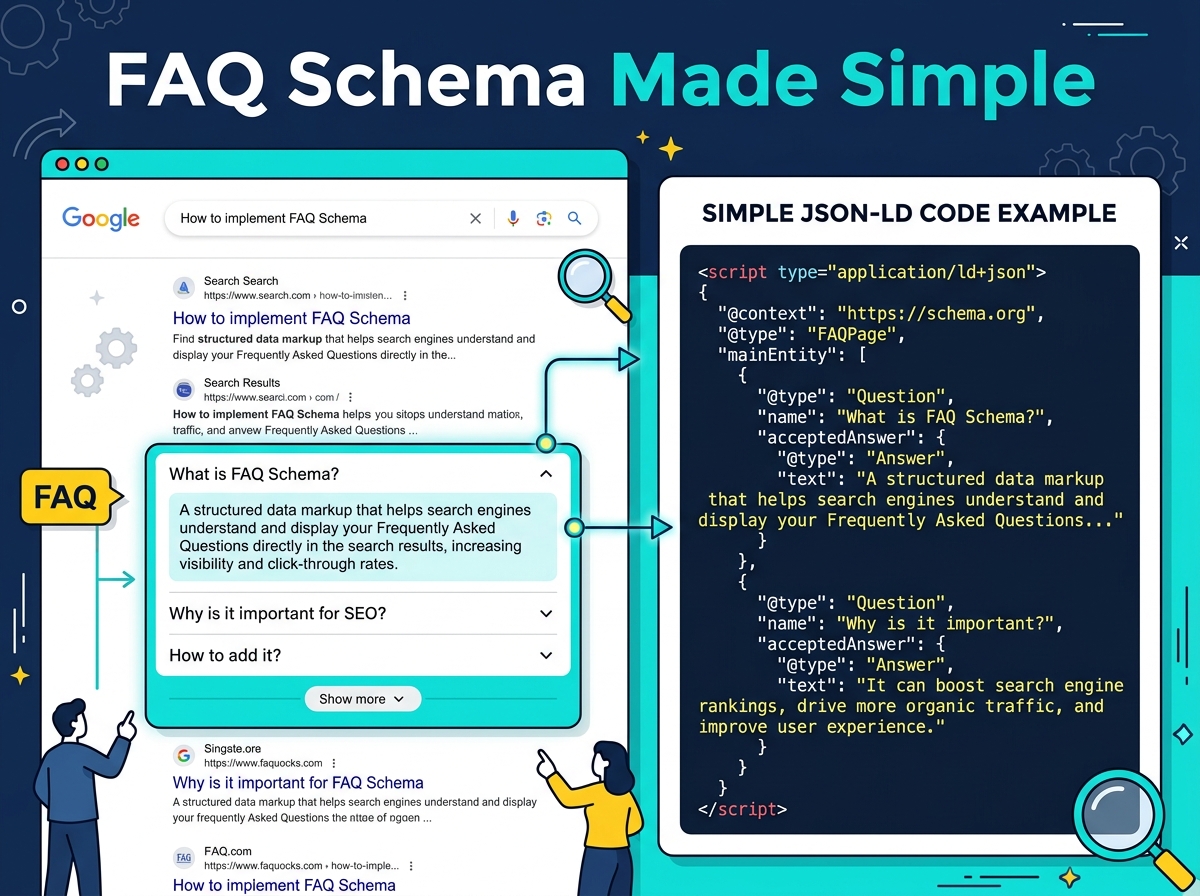
If you’ve ever searched something on Google and seen a list of questions and answers appear right in the search results — before you even click a link — that’s FAQ schema rich snippets in action. And the good news? You can set this up for your own website, even if you’re not a developer. In this guide, we’ll walk you through exactly what FAQ schema is, why it matters for your business, and how to write it correctly so Google actually shows it.
What Is FAQ Schema and Why Does It Matter?
FAQ schema is a type of structured data markup — a small piece of code you add to your website that tells Google exactly what your content is about. When you mark up a list of frequently asked questions using the correct schema format, Google can display those questions and answers directly in search results as rich snippets.
This is a big deal for your business. Rich snippets take up significantly more space on the search results page, which means more visibility, more trust, and more clicks — even if you’re not ranking in the number one spot. Think of it as free real estate on Google’s front page.
The Business Case for FAQ Rich Snippets
Studies consistently show that rich results improve click-through rates (CTR) compared to standard blue links. When a potential customer sees your question answered right in the search results, they’re more likely to trust your brand and visit your site. For small businesses competing against larger brands, this is a powerful equalizer.
FAQ schema also helps you appear for voice search queries, which are typically phrased as questions. As more people use smart speakers and voice assistants, having your answers formatted correctly gives you a real competitive edge.
How to Write FAQ Schema the Right Way
Google has specific guidelines for what qualifies as valid FAQ schema. If you don’t follow them, your markup won’t be eligible for rich snippets — or worse, it could be ignored entirely. Here’s what you need to know before you start writing.
Choose the Right Questions
Not every question belongs in your FAQ schema. Google wants to see genuine questions that users actually ask, not marketing fluff or keyword-stuffed phrases. Think about what your customers ask before they buy, what objections they have, or what confuses them about your product or service.
- Use questions your customers actually ask in emails, chats, or reviews
- Check Google’s “People Also Ask” section for your target keywords
- Keep questions specific and relevant to the page they appear on
- Avoid duplicating questions across multiple pages on your site
Write Clear, Concise Answers
Your answers should be direct and informative — ideally between 40 and 150 words each. Google may truncate longer answers in the rich snippet display, so lead with the most important information. Avoid vague answers that don’t actually help the reader.
You can include basic HTML formatting in your answers, such as links or bold text, but keep it simple. The goal is to answer the question clearly and build trust with the person reading it.
Use JSON-LD Format for Your Markup
Google recommends using JSON-LD (JavaScript Object Notation for Linked Data) to add structured data to your pages. It’s the cleanest and easiest format to implement, and it doesn’t require you to change your visible page content. Here’s a basic example of what FAQ schema looks like in JSON-LD:
<script type="application/ld+json">
{
  "@context": "https://schema.org",
  "@type": "FAQPage",
  "mainEntity": [{
    "@type": "Question",
    "name": "What is FAQ schema?",
    "acceptedAnswer": {
      "@type": "Answer",
      "text": "FAQ schema is structured data markup that helps Google display your questions and answers as rich snippets in search results."
    }
  }]
}
</script>
If you’re using WordPress, plugins like Rank Math or Yoast SEO can generate this code automatically when you add an FAQ block to your page — no manual coding required.
Common Mistakes That Kill Your Rich Snippet Eligibility
Even well-intentioned FAQ schema can get rejected by Google if you make a few common errors. Knowing what to avoid is just as important as knowing what to do.
Mistakes to Avoid
- Adding FAQ schema to pages where no FAQ content is visible — Google requires the questions and answers to actually appear on the page for users to read
- Using FAQ schema for promotional content — questions like “Why is our product the best?” violate Google’s guidelines
- Duplicating the same FAQ schema across many pages — this can dilute your results and confuse Google’s crawlers
- Forgetting to test your markup — always use Google’s Rich Results Test tool before publishing
- Marking up content that changes frequently without updating the schema — outdated answers can hurt your credibility
If you’re unsure whether your schema is set up correctly, an SEO audit can catch errors before they cost you rankings and visibility.
How to Test and Monitor Your FAQ Schema
Once you’ve added your FAQ schema, don’t just set it and forget it. Google’s Rich Results Test (available at search.google.com/test/rich-results) lets you paste your URL or code and instantly see whether your markup is valid and eligible for rich snippets. It’s free and takes less than a minute to use.
You should also monitor your performance in Google Search Console under the “Enhancements” section. This will show you how many pages have valid FAQ schema, any errors that need fixing, and whether your rich snippets are appearing in search results. Pair this with tracking your overall SEO strategy to see how structured data contributes to your traffic growth over time.
How Long Does It Take to See Results?
After adding valid FAQ schema, Google typically picks it up within a few days to a few weeks, depending on how often your site is crawled. You won’t always see a rich snippet immediately, but if your markup is valid and your content is relevant, your chances are strong. Consistency and quality content are the keys to long-term success with FAQ schema rich snippets.
- FAQ schema rich snippets give your business more visibility in Google search results without needing to rank #1
- Use JSON-LD format and make sure your FAQ content is visible on the page — not just in the code
- Write genuine, helpful answers to real questions your customers ask
- Always test your markup with Google’s Rich Results Test before publishing
- Monitor performance in Google Search Console and update your schema as your content changes
FAQ schema is one of the most accessible and high-impact SEO tactics available to small businesses today. It doesn’t require a big budget or a technical team — just the right strategy and a little attention to detail. If you want help implementing FAQ schema rich snippets or building out a full SEO plan for your business, we’re here to help. Check out our SEO services or reach out directly — we’d love to talk about what’s possible for your website.
Ready to get more visibility in Google search results? Contact the team at LetsGetSocialOnline.com today and let’s build an SEO strategy that works for your business.