
WordPress Multisite: Pros and Cons You Need to Know Before You Build
If you’re managing multiple websites — or planning to — WordPress Multisite might sound like the perfect solution. With a single installation, you can run an entire network of websites from one dashboard. But is it really as powerful as it sounds? Before you commit, it’s important to understand both the advantages and the drawbacks. In this post, we break down the key pros and cons of WordPress Multisite so you can make a confident, informed decision for your business.
What Is WordPress Multisite?
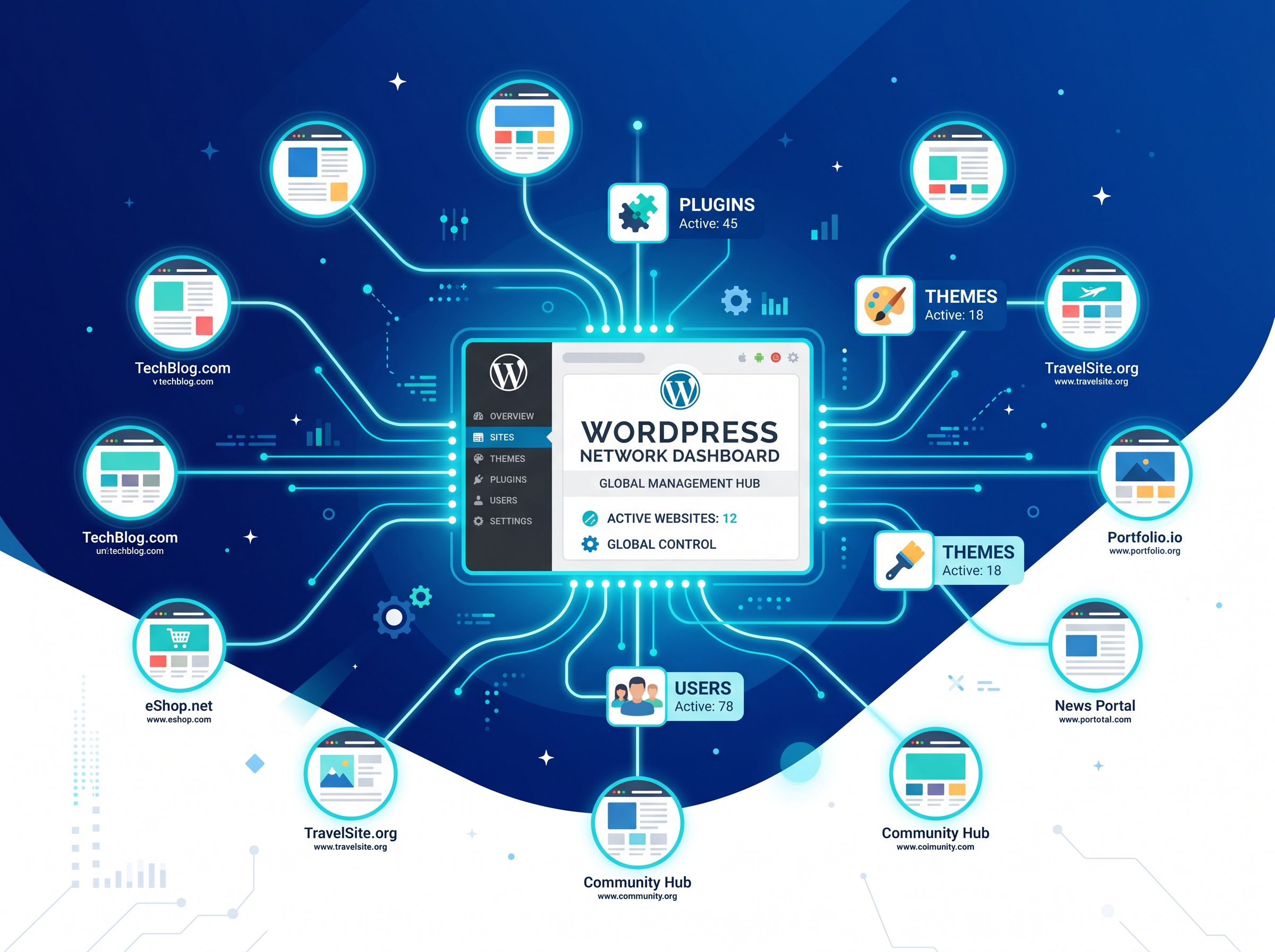
WordPress Multisite is a built-in feature of WordPress that allows you to create and manage a network of multiple websites from a single WordPress installation. Instead of installing WordPress separately for each site, you manage them all under one roof — sharing the same core files, plugins, and themes.
It was originally introduced to power networks like WordPress.com, where thousands of blogs live under one platform. Today, businesses, universities, franchises, and agencies use it to streamline website management at scale.
The Pros of WordPress Multisite
1. Centralized Management
One of the biggest advantages of WordPress Multisite is the ability to manage all your websites from a single admin dashboard. You can update plugins, themes, and WordPress core files across every site in your network simultaneously — saving hours of repetitive work every month.
2. Cost-Effective Hosting
Since all sites in a multisite network share the same WordPress installation, you only need one hosting account. This can significantly reduce your hosting costs, especially if you’re running five, ten, or even dozens of websites. For agencies and franchises, this is a major financial win.
3. Simplified Plugin and Theme Management
With a standard setup, you’d need to install and update plugins individually on each site. With WordPress Multisite, the network administrator installs plugins and themes once, and they become available to all sites in the network. This ensures consistency and reduces the risk of outdated software creating security vulnerabilities.
4. Easy User Management
Multisite makes it easy to manage users across your entire network. You can assign users to specific sites with specific roles, or give them access to multiple sites at once. This is particularly useful for businesses with multiple departments, regional offices, or client websites.
5. Consistent Branding Across Sites
For businesses that need to maintain brand consistency — such as franchise networks or multi-location businesses — WordPress Multisite allows you to enforce the same themes and design standards across all sites while still allowing individual customization where needed.
6. Scalability
Adding a new site to your network is as simple as a few clicks. There’s no need to go through a full WordPress installation process each time. This makes WordPress Multisite an incredibly scalable solution for growing businesses and agencies managing client portfolios.
The Cons of WordPress Multisite
1. All Sites Share the Same Resources
Because all sites in the network run on the same hosting environment, a traffic spike on one site can slow down the others. If one site gets hit with a surge in visitors or a DDoS attack, every site on the network can be affected. This shared resource model can be a serious limitation for high-traffic websites.
2. Plugin and Theme Compatibility Issues
Not all WordPress plugins and themes are compatible with Multisite. Some plugins are designed for single-site installations and may behave unpredictably — or not work at all — in a multisite environment. Before building your network, you’ll need to carefully vet every plugin you plan to use.
3. Security Risks Are Amplified
A security breach on one site in the network can potentially compromise the entire network. Since all sites share the same core installation, a vulnerability in one place puts every site at risk. This makes robust security practices — including regular backups, strong passwords, and security plugins — essential.
4. Limited Control for Individual Site Admins
In a WordPress Multisite network, the super admin has ultimate control. Individual site administrators have limited permissions — they can’t install their own plugins or themes unless the network admin allows it. For clients or team members who need more autonomy, this can be frustrating.
5. More Complex to Set Up and Maintain
Setting up WordPress Multisite requires more technical knowledge than a standard WordPress installation. Configuring subdomains or subdirectories, managing DNS settings, and troubleshooting network-wide issues can be challenging without developer experience. Ongoing maintenance also requires a higher level of technical expertise.
6. Harder to Migrate Individual Sites
If you ever need to move one site out of the network and onto its own standalone installation, the process can be complex and time-consuming. Unlike individual WordPress sites that are relatively easy to migrate, extracting a single site from a multisite network requires careful handling of the database and files.
Who Should Use WordPress Multisite?
WordPress Multisite is an excellent choice for:
- Digital agencies managing multiple client websites under one platform
- Franchise businesses that need consistent branding across regional sites
- Universities and educational institutions running department or faculty websites
- Media companies operating multiple publication brands
- E-commerce businesses with multiple storefronts targeting different regions or audiences
- Nonprofits managing chapter or program-specific websites
However, if you’re running just one or two websites, or if your sites have very different technical requirements, a standard single-site WordPress installation is likely the better, simpler choice.
Final Verdict: Is WordPress Multisite Right for You?
WordPress Multisite is a powerful tool — but it’s not a one-size-fits-all solution. The centralized management, cost savings, and scalability make it incredibly attractive for businesses managing multiple sites. But the shared resources, security risks, and technical complexity mean it’s not the right fit for everyone.
Before making your decision, ask yourself: How many sites do I need to manage? Do I have the technical resources to maintain a multisite network? Do my sites need to share themes and plugins, or do they have unique requirements?
Answering these questions honestly will help you determine whether WordPress Multisite is the smart move — or whether you’re better off keeping things simple with individual installations.
Ready to Build the Right Website Strategy for Your Business?
Whether you’re considering WordPress Multisite or looking for the best website solution for your unique needs, our team is here to help. Contact us today for a free consultation, and let’s build a website strategy that supports your growth, simplifies your workflow, and delivers real results. Don’t let the technical details hold you back — we’ll handle the heavy lifting so you can focus on what you do best.