
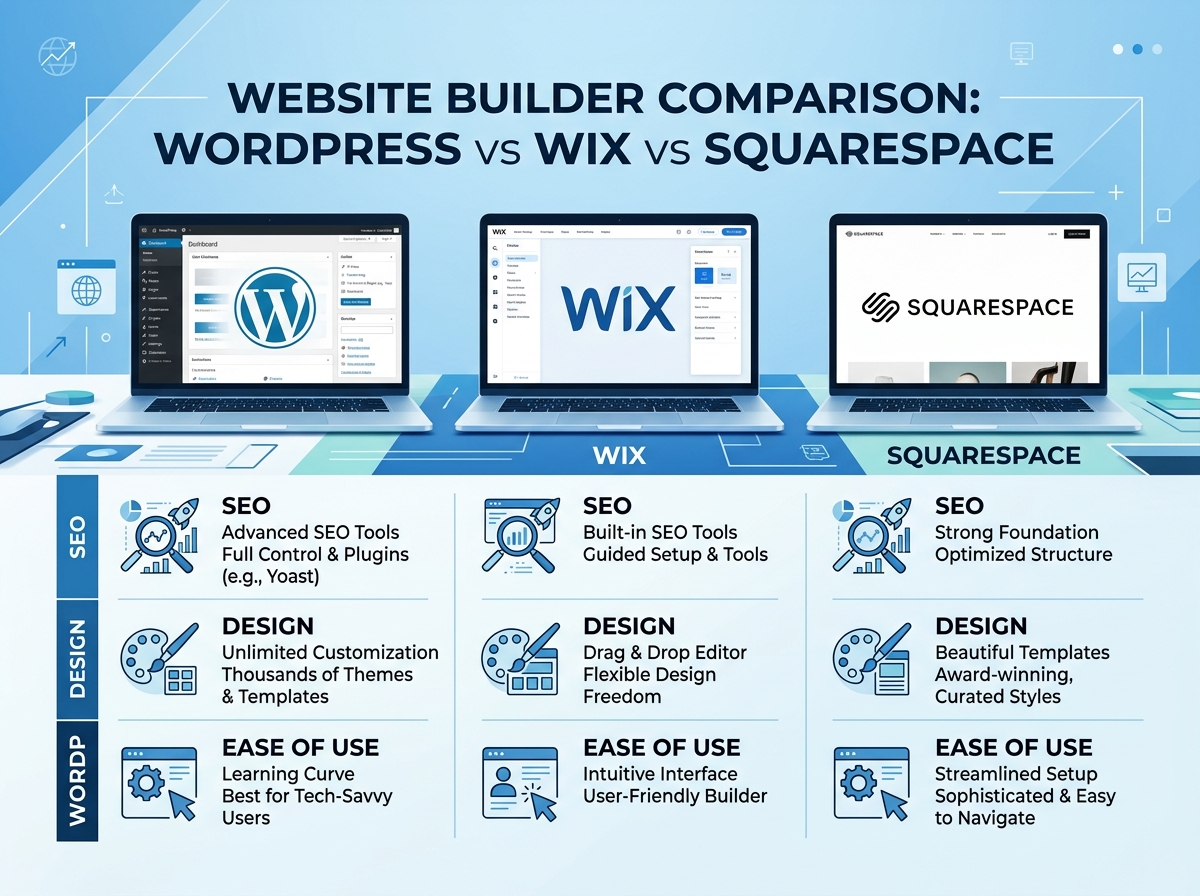
When it comes to building a website for your business, the WordPress vs Wix debate is one of the most common dilemmas digital marketers and business owners face. Add Squarespace into the mix, and the decision becomes even more complex. Each platform has its strengths, weaknesses, and ideal use cases. In this honest comparison, we break down everything you need to know to make the right choice for your goals.
What Are These Platforms and Who Are They For?
Before diving into features and pricing, it helps to understand the core philosophy behind each platform.
WordPress
WordPress (specifically WordPress.org) is a self-hosted, open-source content management system that powers over 43% of all websites on the internet. It offers unmatched flexibility and scalability, making it the go-to choice for developers, bloggers, and businesses that need full control over their digital presence.
Wix
Wix is a cloud-based website builder designed for simplicity. With its drag-and-drop editor and hundreds of pre-built templates, Wix is ideal for small business owners, freelancers, and creatives who want a professional-looking site without touching a single line of code.
Squarespace
Squarespace is known for its stunning design templates and polished user experience. It sits between WordPress and Wix in terms of complexity, offering more design control than Wix while remaining more accessible than WordPress.
WordPress vs Wix vs Squarespace: Feature Comparison
Ease of Use
In the WordPress vs Wix battle for ease of use, Wix wins hands down. Its intuitive drag-and-drop interface allows anyone to build a website in hours. Squarespace is also beginner-friendly, though its editor has a slight learning curve. WordPress, while incredibly powerful, requires more technical knowledge — especially when it comes to hosting, plugins, and theme customization.
- WordPress: Moderate to steep learning curve
- Wix: Very beginner-friendly
- Squarespace: Beginner to intermediate friendly
Design and Customization
WordPress offers virtually unlimited customization through thousands of free and premium themes and plugins. You can build almost anything — from a simple blog to a complex e-commerce store. However, this freedom comes with responsibility: poor plugin choices can slow your site or create security vulnerabilities.
Wix provides over 800 templates and a flexible editor, but once you choose a template, switching it means rebuilding your site from scratch. Squarespace offers fewer templates but each one is beautifully crafted and fully responsive, making it a top choice for photographers, designers, and lifestyle brands.
SEO Capabilities
For SEO, WordPress vs Wix is not even close — WordPress dominates. With plugins like Yoast SEO or Rank Math, you have granular control over every SEO element: meta tags, schema markup, XML sitemaps, canonical URLs, and more. WordPress also gives you full access to your site’s code, which is critical for advanced technical SEO.
Wix has significantly improved its SEO tools in recent years, offering features like customizable meta tags, structured data, and an SEO setup wizard. However, it still lags behind WordPress in terms of depth and flexibility. Squarespace offers solid built-in SEO features but similarly lacks the extensibility of WordPress.
- WordPress: Best-in-class SEO with plugin support
- Wix: Good for basic to intermediate SEO needs
- Squarespace: Solid built-in SEO, limited advanced options
E-Commerce Features
If you’re planning to sell products online, all three platforms offer e-commerce functionality — but with notable differences. WordPress paired with WooCommerce is the most powerful and scalable option, supporting everything from digital downloads to complex inventory management. It’s the preferred choice for growing online stores.
Wix eCommerce is suitable for small stores with straightforward needs. Squarespace’s e-commerce tools are elegant and easy to use, making it a great option for boutique brands and service-based businesses selling a limited range of products.
Pricing
Pricing is where things get interesting. Wix and Squarespace operate on subscription models with all-inclusive pricing, while WordPress itself is free — but you’ll need to pay for hosting, a domain, premium themes, and plugins separately.
- WordPress: Free software; hosting from $5–$30/month; costs scale with needs
- Wix: Plans from $17–$159/month (billed annually)
- Squarespace: Plans from $16–$49/month (billed annually)
For budget-conscious beginners, Wix and Squarespace offer more predictable costs. For businesses that need scalability, WordPress often delivers better long-term value.
Performance and Security
Website speed and security are non-negotiable for business success. With WordPress, performance depends heavily on your hosting provider and how well your site is optimized. A poorly configured WordPress site can be slow and vulnerable, but a well-managed one can outperform any hosted platform.
Wix and Squarespace handle hosting, security, and updates automatically, which is a significant advantage for non-technical users. You don’t have to worry about software updates, SSL certificates, or server maintenance — it’s all taken care of.
Which Platform Should You Choose?
The right platform depends entirely on your goals, technical comfort level, and budget. Here’s a quick summary to guide your decision:
- Choose WordPress if you need maximum flexibility, advanced SEO, or plan to scale significantly. It’s ideal for bloggers, marketers, and businesses with development resources.
- Choose Wix if you’re a small business owner or entrepreneur who wants to launch quickly without technical headaches. It’s perfect for local businesses, portfolios, and simple service sites.
- Choose Squarespace if design aesthetics are your top priority and you want a polished, professional site with minimal effort. It’s a great fit for creatives, coaches, and boutique brands.
In the ongoing WordPress vs Wix conversation, there’s no universal winner — only the best fit for your specific situation. Understanding your long-term vision is key to making the right investment.
Final Thoughts
Whether you’re comparing WordPress vs Wix for the first time or reconsidering your current platform, the most important thing is to align your choice with your business goals. WordPress offers power and flexibility, Wix offers simplicity and speed, and Squarespace offers beauty and balance. Each has earned its place in the digital landscape.
Want help choosing the right platform and building an SEO strategy that drives real results? Contact our team today for a free consultation, or explore our website design resources to learn more about building a high-performing online presence.