
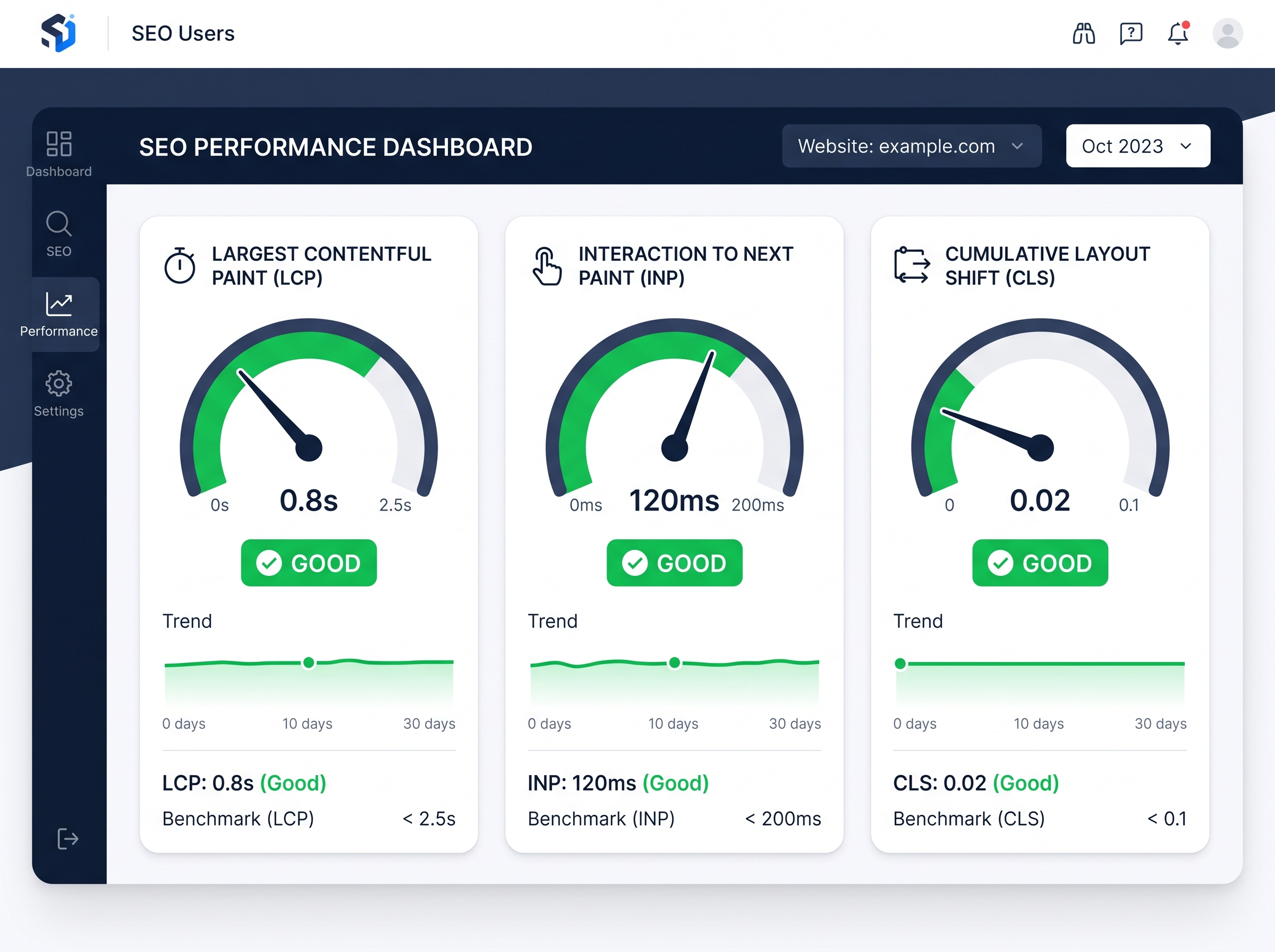
Core Web Vitals: Complete SEO Guide to Boost Your Rankings
If you’ve been paying attention to SEO over the past few years, you’ve likely heard the term Core Web Vitals thrown around in conversations about Google rankings. But what exactly are they, why do they matter, and — most importantly — how do you improve them? This complete guide breaks it all down so you can take action and start seeing real results for your website.
What Are Core Web Vitals?
Core Web Vitals are a set of specific, measurable metrics that Google uses to evaluate the real-world user experience of a webpage. Introduced as an official Google ranking factor in 2021, these metrics focus on three critical aspects of page performance: loading speed, interactivity, and visual stability. Together, they form a key part of Google’s broader Page Experience signals.
Think of Core Web Vitals as Google’s way of asking: “Does this page actually feel good to use?” If your site loads slowly, jumps around while loading, or takes forever to respond to a click, Google takes notice — and so do your visitors.
The Three Core Web Vitals Metrics Explained
1. Largest Contentful Paint (LCP) — Loading Performance
LCP measures how long it takes for the largest visible element on a page — usually a hero image, video, or large block of text — to fully load. Google considers a good LCP score to be 2.5 seconds or less.
- Good: 2.5 seconds or less
- Needs Improvement: 2.5 to 4.0 seconds
- Poor: More than 4.0 seconds
A slow LCP is one of the most common reasons visitors abandon a page before it even finishes loading. Improving your LCP directly impacts both your bounce rate and your search rankings.
2. Interaction to Next Paint (INP) — Interactivity
INP replaced the older First Input Delay (FID) metric in March 2024. It measures the overall responsiveness of a page by evaluating how quickly the page responds to all user interactions — clicks, taps, and keyboard inputs — throughout the entire page visit.
- Good: 200 milliseconds or less
- Needs Improvement: 200 to 500 milliseconds
- Poor: More than 500 milliseconds
A sluggish INP score often signals that your site has too much JavaScript running on the main thread, making it feel unresponsive and frustrating to users.
3. Cumulative Layout Shift (CLS) — Visual Stability
CLS measures how much the visible content on your page unexpectedly shifts around while loading. You’ve experienced this before — you go to click a button and suddenly an ad loads above it, pushing everything down. That’s a CLS problem.
- Good: 0.1 or less
- Needs Improvement: 0.1 to 0.25
- Poor: More than 0.25
Why Core Web Vitals Matter for SEO
Google has made it crystal clear: page experience is a ranking signal. Websites that deliver a fast, stable, and responsive experience are rewarded with better visibility in search results. But beyond rankings, core web vitals directly impact your bottom line.
Studies have shown that a one-second delay in page load time can reduce conversions by up to 7%. For e-commerce businesses, that’s thousands of dollars in lost revenue. For service-based businesses, it means fewer leads and inquiries. Optimizing your Core Web Vitals isn’t just an SEO exercise — it’s a business growth strategy.
How to Measure Your Core Web Vitals
Before you can fix anything, you need to know where you stand. Here are the best tools to measure your core web vitals scores:
- Google Search Console: The Core Web Vitals report shows real-world data from actual users visiting your site, broken down by mobile and desktop.
- PageSpeed Insights: Enter any URL to get both lab data and field data, along with specific recommendations for improvement.
- Google Lighthouse: Available in Chrome DevTools, Lighthouse runs a full audit of your page performance and provides a detailed breakdown of issues.
- GTmetrix: A popular third-party tool that provides waterfall charts and performance scores to help you pinpoint bottlenecks.
- Web Vitals Chrome Extension: A quick way to check real-time Core Web Vitals scores as you browse your own site.
How to Improve Your Core Web Vitals
Improving LCP (Loading Speed)
- Optimize and compress images using modern formats like WebP or AVIF
- Use a Content Delivery Network (CDN) to serve assets from servers closer to your users
- Enable browser caching and server-side caching
- Upgrade to faster web hosting if your current server response time is slow
- Preload critical resources like fonts and hero images
- Minimize render-blocking CSS and JavaScript
Improving INP (Interactivity)
- Reduce and defer unnecessary JavaScript
- Break up long tasks that block the main thread
- Use a web worker to handle complex scripts off the main thread
- Audit and remove unused third-party scripts and plugins
- Implement lazy loading for non-critical page elements
Improving CLS (Visual Stability)
- Always define width and height attributes for images and videos
- Reserve space for ads, embeds, and iframes before they load
- Avoid inserting content above existing content after the page loads
- Use CSS transform animations instead of properties that trigger layout changes
- Preload custom fonts to prevent layout shifts caused by font swapping
Core Web Vitals and Mobile Performance
It’s worth noting that Google primarily uses mobile-first indexing, which means your mobile Core Web Vitals scores carry significant weight. Many websites that perform well on desktop struggle on mobile due to slower connections and less processing power. Always test your scores on both devices and prioritize mobile optimization in your strategy.
Common Core Web Vitals Mistakes to Avoid
- Ignoring field data: Lab data gives you a snapshot, but real-world field data from actual users is what Google uses for rankings.
- Fixing only the homepage: Every page on your site needs to pass Core Web Vitals, not just the front page.
- Over-relying on plugins: Too many WordPress plugins can bloat your site and tank your scores.
- Skipping regular audits: Core Web Vitals scores can change as you add new content, plugins, or third-party scripts. Schedule monthly audits.
Start Optimizing Your Core Web Vitals Today
Improving your core web vitals is one of the highest-impact investments you can make in your website’s SEO and overall performance. A faster, more stable, and more responsive site doesn’t just rank better — it converts better, retains visitors longer, and builds trust with your audience.
Whether you’re a business owner managing your own site or a digital marketer overseeing multiple client websites, understanding and acting on Core Web Vitals is no longer optional. It’s a fundamental part of modern SEO success.
Ready to take your website performance to the next level? Contact our team today for a free Core Web Vitals audit and discover exactly what’s holding your site back from ranking at the top of Google. Don’t let slow load times and poor user experience cost you customers — let’s fix it together.