
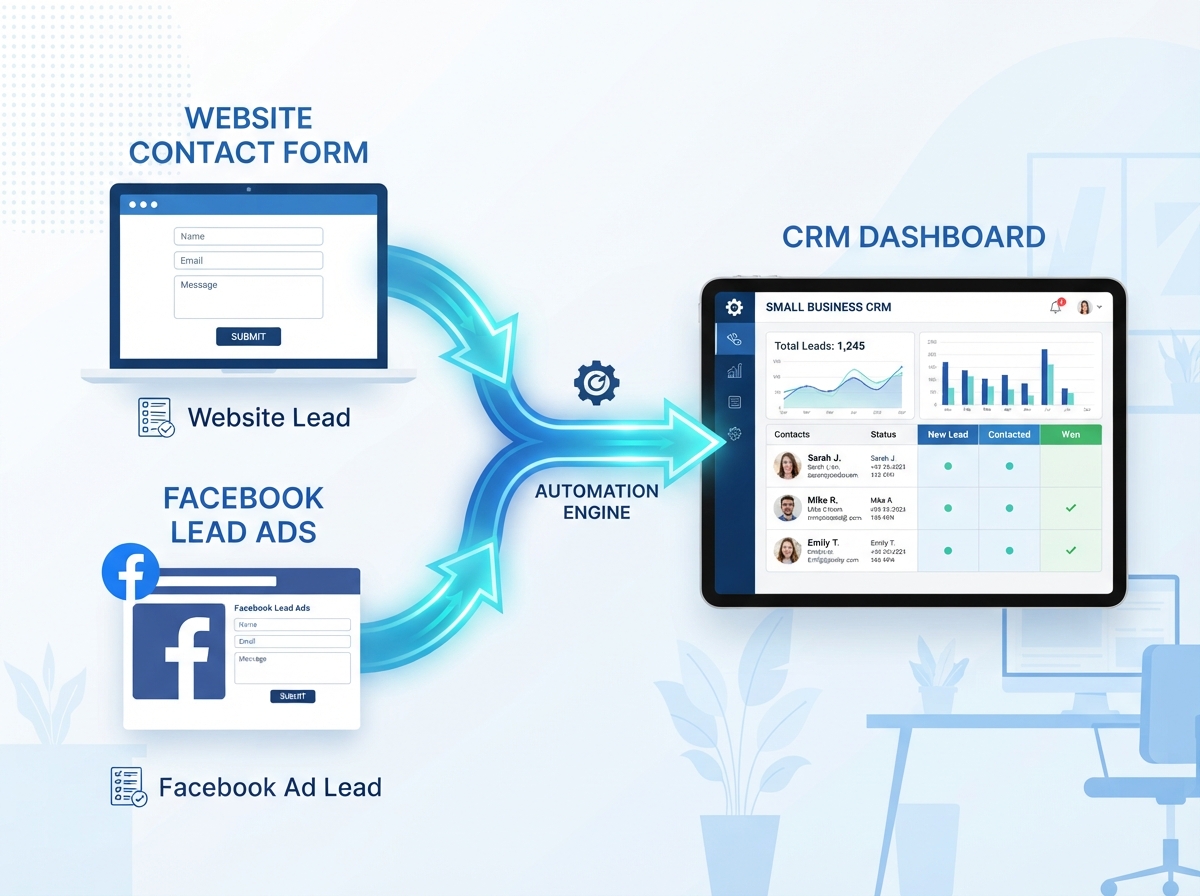
If you’re still copying and pasting lead information into your CRM by hand, you’re not just wasting time — you’re risking losing potential customers entirely. Using Make.com to add leads to your CRM automatically is one of the smartest workflow upgrades a small business owner can make. It’s faster, more accurate, and it works around the clock so you never miss a new contact — even while you sleep.
In this guide, we’ll walk you through exactly how to set up this automation, what tools you’ll need, and why it’s a game-changer for your business growth. No coding required.
Why Manual Lead Entry Is Costing You Business
Every time a new lead fills out a form on your website, sends you a message on social media, or signs up for your email list, that information needs to land somewhere useful — fast. The longer it sits unprocessed, the colder that lead gets.
Manual data entry creates real problems for growing businesses:
- Human error — typos, missed fields, and duplicate records clutter your CRM
- Delays — leads entered hours or days later are far less likely to convert
- Inconsistency — different team members format data differently, making reporting unreliable
- Time drain — your team spends hours on admin work instead of selling or serving clients
The good news? Make.com automation solves all of these problems with a simple, visual workflow that connects your lead sources directly to your CRM — automatically and instantly.
What You Need Before You Start
Before building your first automation, make sure you have the following in place. The setup is straightforward, and most small businesses already have these tools.
A Make.com Account
Make.com (formerly Integromat) offers a free plan that’s more than enough to get started. You can connect hundreds of apps and run automations without writing a single line of code. If you’re new to the platform, check out our beginner’s guide to Make.com automation to get familiar with the interface first.
A Lead Source
This is where your leads are coming from. Common sources include:
- Website contact forms (Gravity Forms, Typeform, WPForms)
- Facebook or Instagram Lead Ads
- Landing page tools like ClickFunnels or Unbounce
- Email opt-in tools like Mailchimp or ConvertKit
A CRM
Make.com connects with dozens of popular CRMs including HubSpot, Zoho CRM, Pipedrive, ActiveCampaign, and Salesforce. If you’re not sure which CRM is right for your business, our guide to the best CRM tools for small businesses can help you decide.
How to Set Up Your Make.com Lead-to-CRM Automation
Here’s a step-by-step breakdown of how to use Make.com to add leads to your CRM automatically. This example uses a website contact form and HubSpot, but the process is nearly identical for other tools.
Step 1: Create a New Scenario in Make.com
Log into your Make.com account and click “Create a new scenario.” This is your automation workspace — a visual canvas where you’ll connect your apps using drag-and-drop modules. Think of each module as a step in your workflow.
Step 2: Set Your Trigger (The Lead Source)
Your trigger is the event that starts the automation. Search for your form tool — for example, Typeform — and select the trigger “Watch Responses.” This tells Make.com to watch for new form submissions in real time. Connect your account and select the specific form you want to use.
Step 3: Add Your CRM Module
Click the “+” button to add the next module. Search for your CRM — let’s say HubSpot — and choose the action “Create/Update a Contact.” Connect your HubSpot account and then map the fields from your form to the correct fields in your CRM. For example, map “Email” from Typeform to “Email Address” in HubSpot.
Step 4: Test and Activate
Before going live, click “Run Once” to test your scenario with a sample submission. Make.com will show you exactly what data was passed through and whether it landed correctly in your CRM. Once everything looks good, toggle the scenario to ON and your automation is live.
That’s it. From this point forward, every new lead that submits your form will be automatically added to your CRM — no manual work needed.
Pro Tips to Get More Out of Your Lead Automation
Once your basic automation is running, there are several ways to make it even more powerful for your business.
Add a Notification Step
Include a Slack or email notification module after the CRM step so your sales team gets an instant alert every time a new lead comes in. Speed matters — businesses that follow up within five minutes are far more likely to convert a lead.
Tag and Segment Leads Automatically
Use Make.com’s built-in filters and routers to tag leads based on where they came from or what they selected in your form. For example, leads who select “I need a website” can be automatically tagged as Web Design Prospects in your CRM — making follow-up much more targeted.
Connect Multiple Lead Sources
You don’t have to stop at one form. Build separate scenarios — or use Make.com’s router feature — to pull leads from Facebook Lead Ads, your website, and your email opt-ins all into the same CRM. This gives you a single, clean view of every lead your business generates. Learn more about how we help businesses streamline their workflows in our Make.com automation services overview.
- Manual lead entry causes delays, errors, and lost revenue — automation fixes all three
- Make.com connects your lead sources to your CRM in minutes with no coding required
- You can automate leads from forms, social media ads, landing pages, and email tools
- Adding notification steps ensures your team follows up fast while leads are still warm
- Tagging and segmenting leads automatically makes your follow-up more targeted and effective
Ready to Stop Losing Leads?
Setting up a Make.com automation to add leads to your CRM automatically is one of the highest-ROI things you can do for your business right now. It takes less than an hour to set up, and it pays for itself the first time it captures a lead you would have otherwise missed.
If you’d rather have an expert handle the setup for you — or if you want a more advanced workflow that includes follow-up emails, lead scoring, and pipeline management — we’re here to help. At LetsGetSocialOnline.com, we build custom Make.com automations for small businesses and entrepreneurs who want to grow smarter, not harder.
Contact us today to get a free consultation and find out how we can automate your lead management from start to finish.