
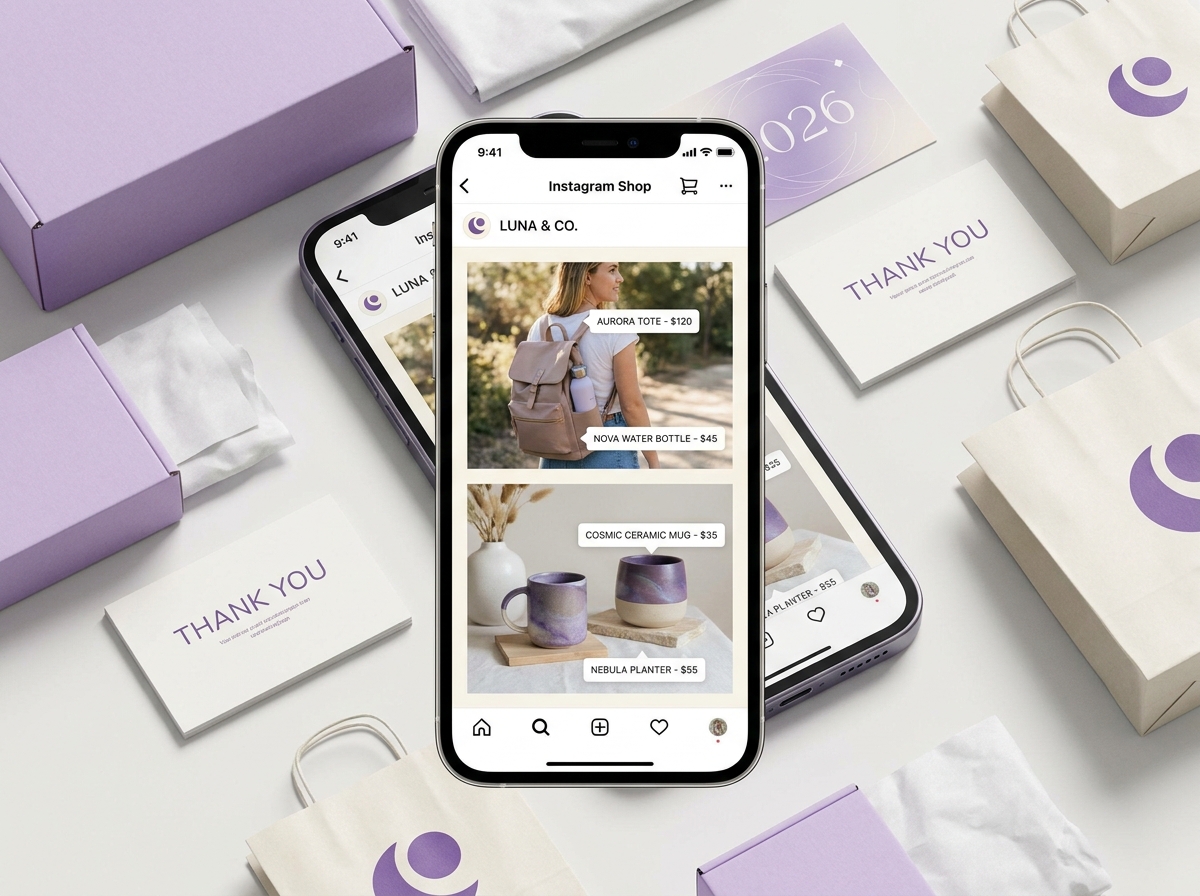
If you’ve been thinking about selling your products directly on Instagram, there’s never been a better time to get started. The Instagram shopping setup process has become more streamlined than ever, and with over two billion active users scrolling through their feeds every month, the opportunity for small businesses is massive. Whether you sell physical products, handmade goods, or branded merchandise, this guide will walk you through everything you need to know to get your Instagram Shop up and running in 2026.
What Is Instagram Shopping and Why Does It Matter?
Instagram Shopping is a built-in feature that allows businesses to create a digital storefront directly on their Instagram profile. Instead of sending followers to a link in your bio and hoping they find what they’re looking for, you can tag products directly in your posts, Reels, and Stories — making it incredibly easy for people to browse and buy without ever leaving the app.
For small businesses and entrepreneurs, this is a game-changer. Social commerce is growing fast, and customers increasingly expect a seamless shopping experience on the platforms they already use every day. If your competitors are already using Instagram Shopping and you’re not, you’re leaving money on the table.
Beyond convenience, Instagram Shopping also gives your business more visibility. Tagged products can appear in the Instagram Shop tab, in Explore, and in search results — giving you organic reach you simply can’t get from a regular post alone.
What You Need Before You Start
Before diving into the Instagram shopping setup process, make sure you have a few things in place. Skipping these steps is the most common reason businesses run into problems during approval.
Eligibility Requirements
- Your business must be located in a supported market (most countries are now eligible — check Meta’s Commerce Policy for the latest list)
- You must sell physical products that comply with Instagram’s commerce policies
- Your Instagram account must be set up as a Business or Creator account
- You need a Facebook Page connected to your Instagram account
- Your website domain must be verified through Meta Business Manager
Tools You’ll Need
- A Meta Business Suite account (free to set up at business.facebook.com)
- A product catalog — either created manually in Meta Commerce Manager or synced from an e-commerce platform like Shopify, WooCommerce, or BigCommerce
- High-quality product images that meet Instagram’s image guidelines
If you’re already running an online store, connecting your existing catalog is usually the fastest route. Platforms like Shopify have a direct integration with Meta that syncs your products automatically — saving you hours of manual work. You can also learn more about how social media management tools can help you stay consistent across platforms while you grow your shop.
Step-by-Step Instagram Shopping Setup
Once you’ve confirmed your eligibility and gathered your tools, follow these steps to complete your Instagram shopping setup.
Step 1: Convert to a Business or Creator Account
Go to your Instagram profile, tap the menu icon, then Settings and Privacy, and select Account Type and Tools. From there, choose “Switch to Professional Account” and follow the prompts. Select “Business” if you’re a brand or company, or “Creator” if you’re an influencer or solo entrepreneur.
Step 2: Connect Your Facebook Page
In your Instagram settings, go to Account Centre and link your Facebook Page. If you don’t have a Facebook Page yet, you’ll need to create one — it only takes a few minutes and is required for Instagram Shopping to work.
Step 3: Set Up Your Product Catalog in Meta Commerce Manager
Head to business.facebook.com/commerce and create a new catalog. You can add products manually, upload a data feed, or connect your e-commerce platform. Make sure each product listing includes a clear title, accurate description, price, and a direct link to the product page on your website.
Step 4: Submit Your Account for Review
Once your catalog is connected, go back to Instagram and navigate to Settings → Business → Shopping. Select your product catalog and tap “Submit for Review.” Instagram typically reviews accounts within a few days, though it can sometimes take up to a week. You’ll receive a notification once you’re approved.
Step 5: Enable Instagram Shopping and Start Tagging
After approval, return to Settings → Business → Shopping and toggle on the Shopping feature. Now when you create a post or Reel, you’ll see the option to tag products directly in your content. You can tag up to five products per image post and up to 20 products in a carousel — so get creative with how you showcase your catalog.
For more tips on creating content that converts, check out our guide on building a social media content strategy that drives real results for your business.
Tips to Make Your Instagram Shop Perform Better
Getting approved is just the beginning. To actually drive sales through your Instagram shopping setup, you need to treat your shop like a real storefront — one that’s always stocked, visually appealing, and easy to navigate.
- Use lifestyle imagery — Show your products in real-world settings, not just plain white backgrounds. People want to see how items look in use.
- Tag products in Stories and Reels — Don’t limit yourself to feed posts. Stories with product stickers and shoppable Reels get strong engagement and reach new audiences.
- Write compelling product descriptions — Your catalog descriptions show up when someone taps a product tag. Make them clear, benefit-focused, and on-brand.
- Run Instagram ads with product tags — Boosting shoppable posts through Meta Ads Manager can dramatically increase your reach and sales, especially during promotions.
- Keep your catalog updated — Remove out-of-stock items promptly and add new products regularly to keep your shop fresh and relevant.
If you’re also thinking about automating parts of your marketing workflow — like syncing new products to your social channels automatically — Make.com automation can save you significant time and effort every week.
- Instagram Shopping lets you tag and sell products directly in posts, Stories, and Reels — reducing friction for buyers.
- You need a Business or Creator account, a connected Facebook Page, and a verified product catalog before you can complete your instagram shopping setup.
- Connecting an existing e-commerce platform like Shopify is the fastest way to sync your product catalog with Meta Commerce Manager.
- After approval, tag products consistently across all content types — not just feed posts — to maximize visibility and sales.
- Keep your shop updated, use lifestyle imagery, and consider running shoppable ads to accelerate your results.
Setting up Instagram Shopping doesn’t have to be complicated, but getting it right from the start makes a big difference in how quickly you see results. If you’d like expert help with your Instagram strategy, product catalog setup, or social media marketing as a whole, our team at LetsGetSocialOnline.com is ready to help you grow.
Ready to turn your Instagram followers into customers? Contact us today and let’s build a social commerce strategy that works for your business.